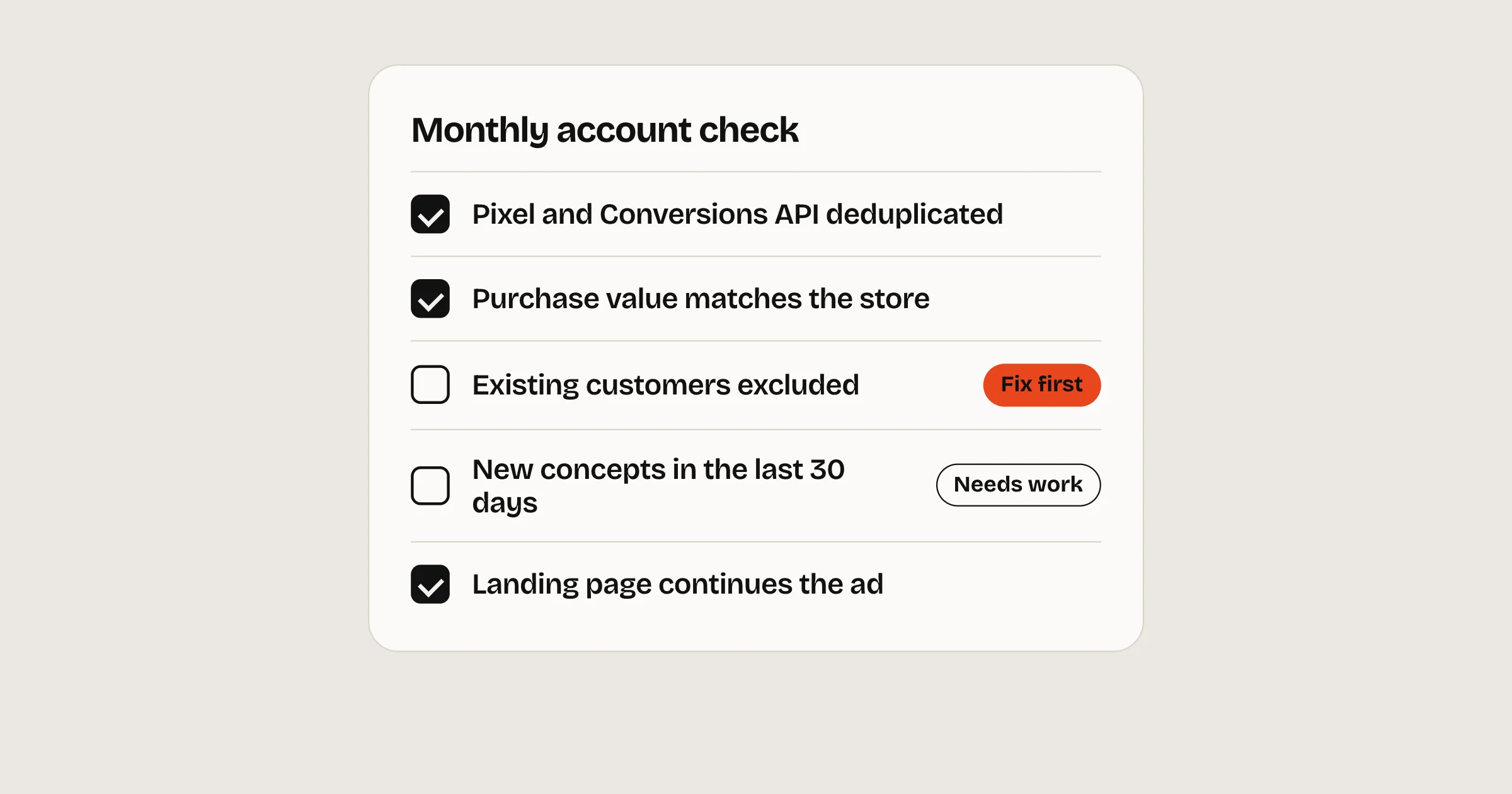
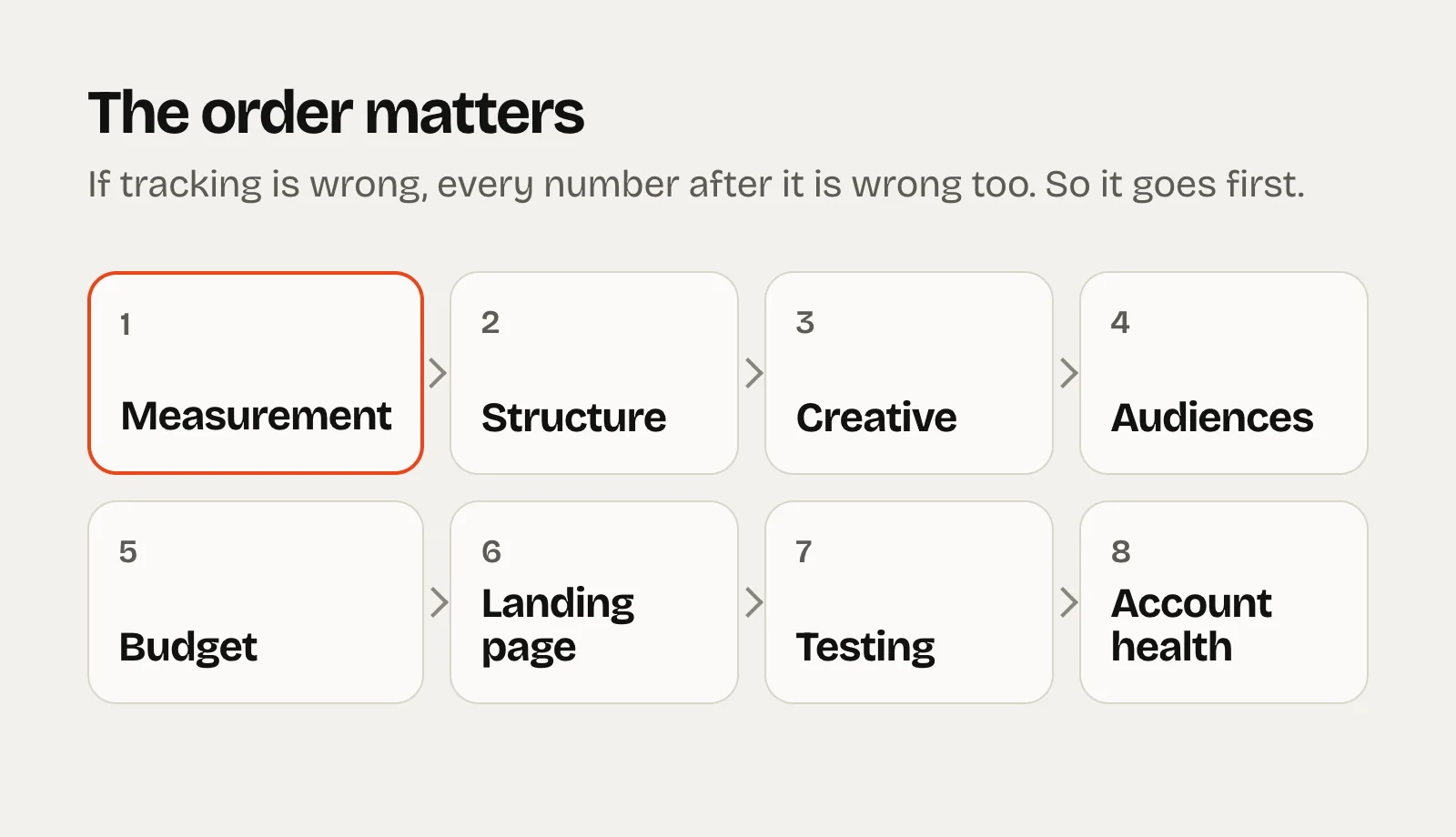
Every account we take on gets this audit first, and every account we run gets it again each month. It’s fifty checks in eight areas. The order matters: measurement comes first, because if tracking is wrong, every number after it is wrong too.
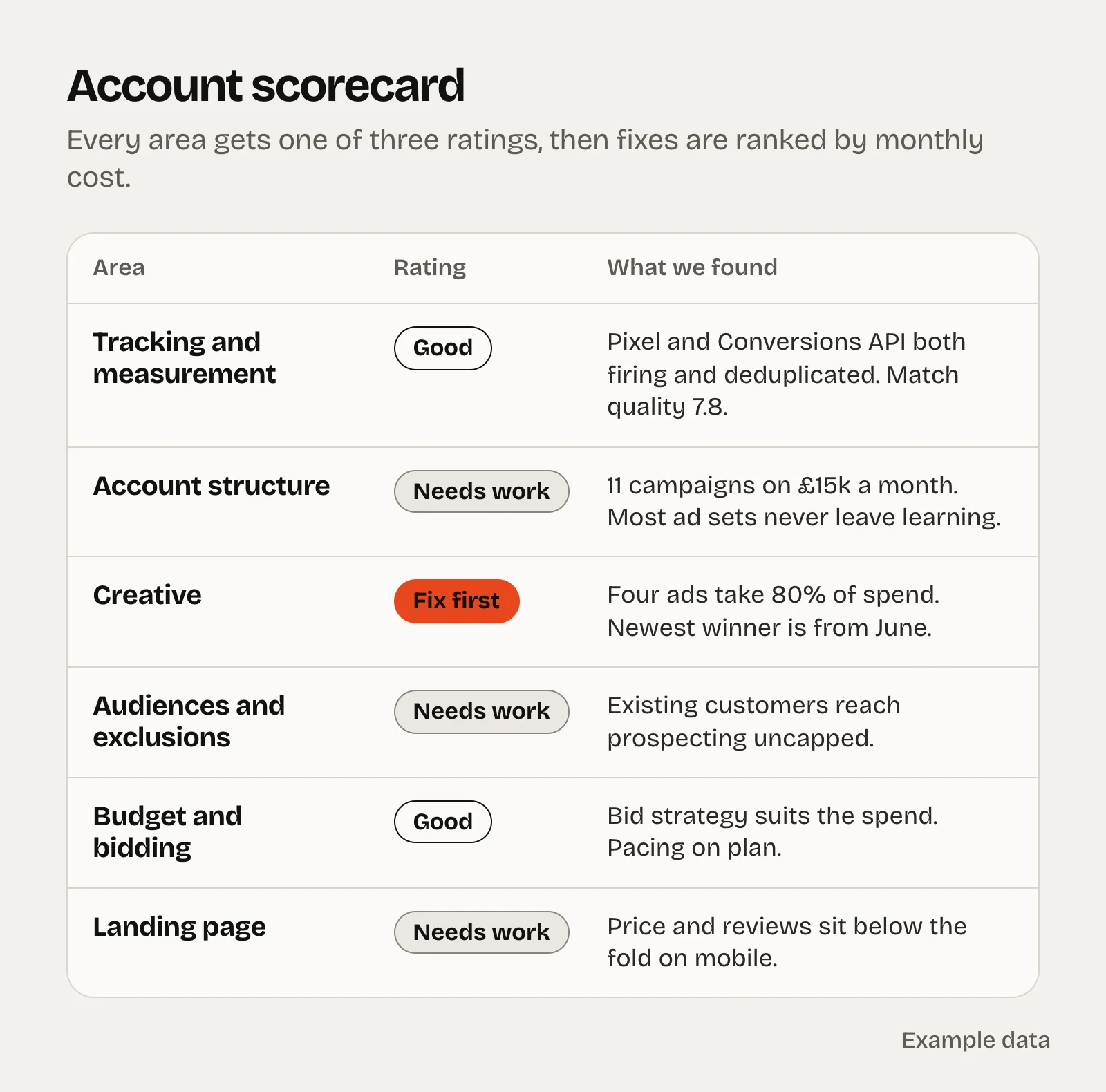
Work top to bottom. Rate each area Good, Needs work or Fix first. Then fix things in order of what each problem costs you a month, not in the order they appear below.
Print or save as PDF →
The short version
Check tracking first. A broken event or a quiet attribution change can make a good account look bad, or the other way round.
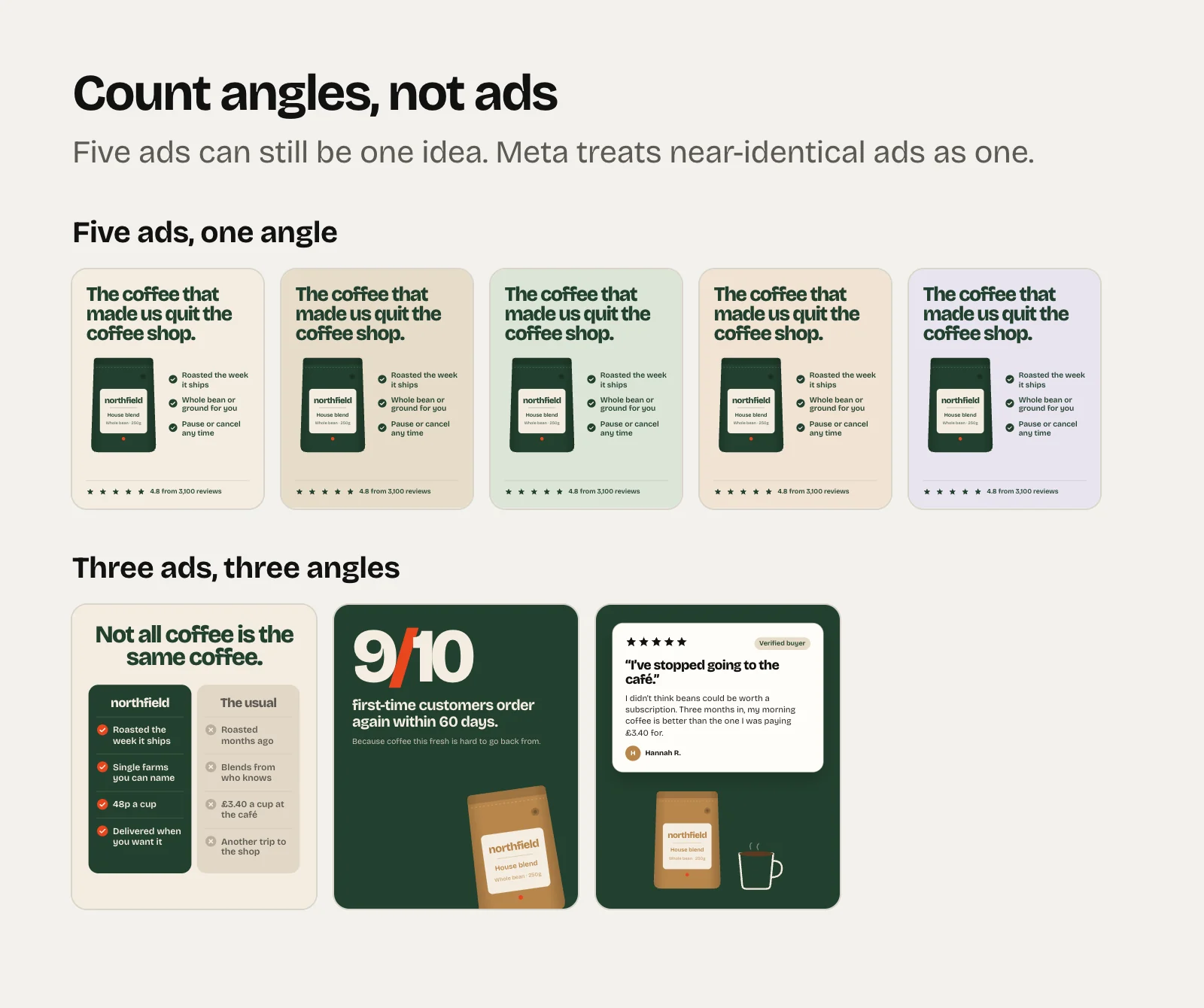
Count angles, not ads. Most accounts run one idea in five outfits.
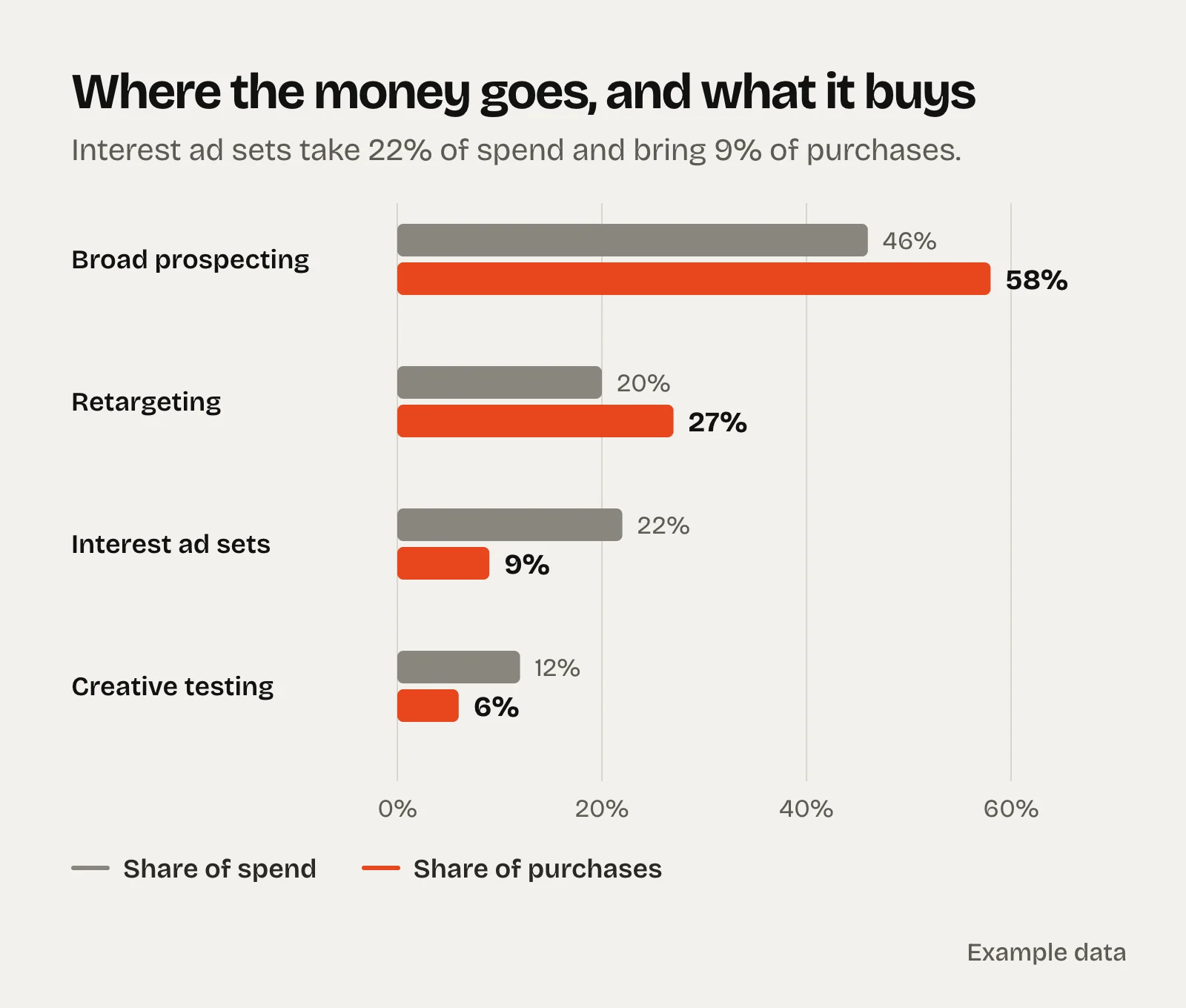
Compare each campaign’s share of spend with its share of purchases. The gaps are where the money leaks.
Rank what you find by monthly cost. Fix the £2,000 problem before the £200 one.
How to run it
Use the last 90 days. Long enough to see trends, short enough to reflect how the account runs now.Keep one attribution setting for every comparison, and write down which one you used.View-only access is enough. You don’t need to change anything to audit it.Rate each area: Good (keep as is), Needs work (worth fixing this month) or Fix first (costing you money now).
1. Measurement
Nothing else matters if this is wrong.
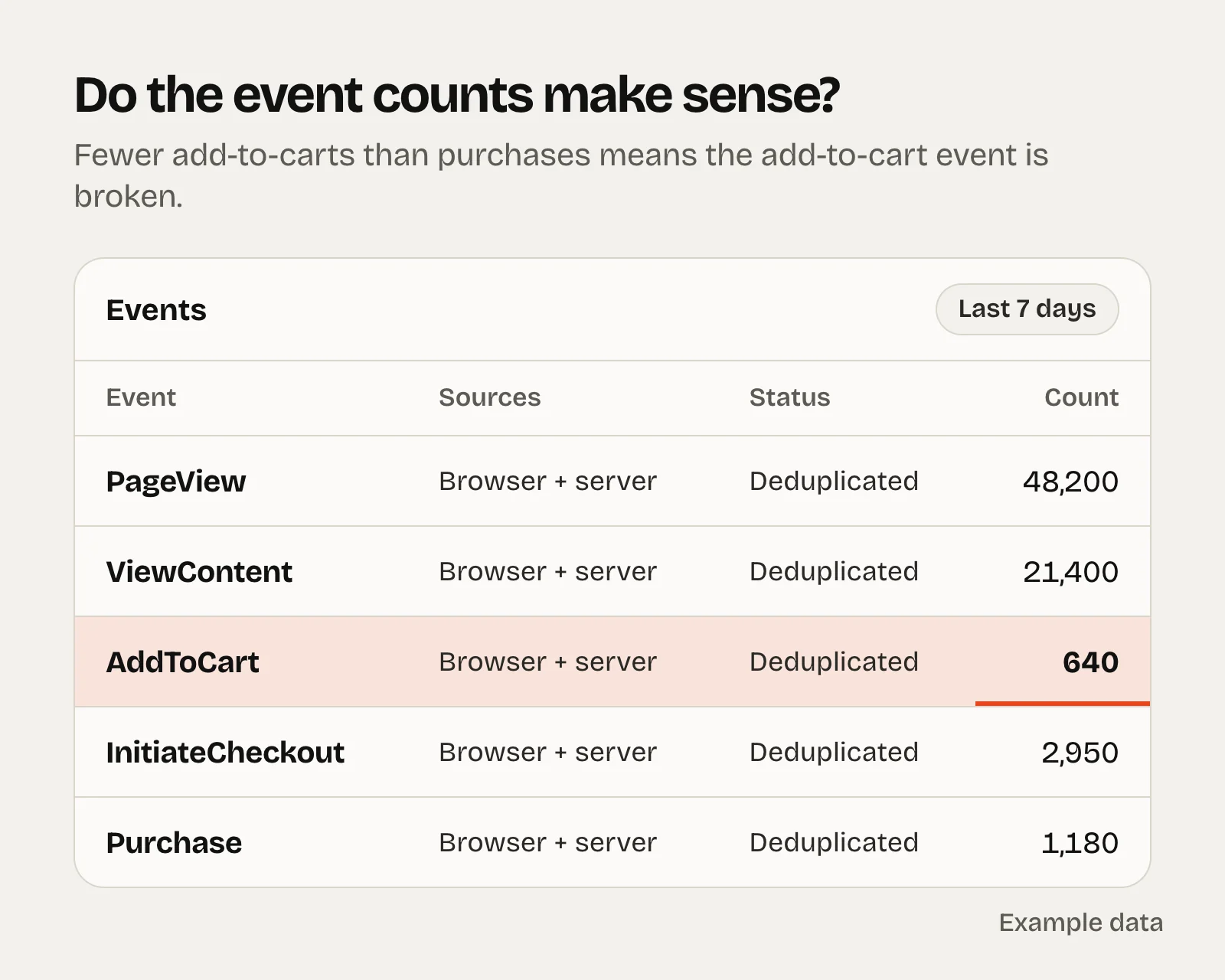
Pixel and Conversions API both send Purchase Events Manager shows the event arriving from the browser and the server. Browser-only tracking misses a share of sales from iOS and ad blockers. Browser and server events are deduplicated Both send the same event name and event ID, so one sale counts once. Mismatched IDs double-count purchases or lose them. Event match quality for Purchase is 6 or higher Aim for 8. Send hashed email, phone, name and postcode with server events to raise it. Purchase value matches your store Revenue Meta records should land within about 5% to 10% of your store’s figure for the same orders, in the right currency. Funnel events make sense More product views than add-to-carts, more add-to-carts than purchases. If add-to-carts come in lower than purchases, that event is broken. Ad sets optimise for purchases Not add-to-carts or landing page views picked because they’re cheaper. Optimise for window shoppers and you get window shoppers. The attribution setting is known and consistent The default is 7-day click, 1-day engage-through and 1-day view. Whatever you use, every campaign you compare should use the same one, and nobody should change it quietly. Domain verified, one live dataset No old pixels from past agencies or apps still collecting events on your site. UTMs on every ad Use Meta’s dynamic parameters such as {{campaign.name}} and {{ad.name}} so your analytics can tie orders to ads without anyone typing tags. A monthly reconciliation exists Meta-reported purchases next to store orders, with the gap tracked over time. Knowing your usual gap keeps every report honest.
Broken funnel events are more common than you’d think. In one account we run, an offer page logged a few hundred add-to-carts in a fortnight against well over a thousand purchases. The page was selling fine. The event was broken, and nobody had looked.
2. Account structure
Each ad set can get about 50 purchases a week That’s roughly what Meta needs to leave the learning phase. Daily budget × 7 ÷ cost per purchase should come out near 50. £100 a day at a £35 cost per purchase gets you 20. “Learning limited” is rare If most ad sets show it, the account is too fragmented for its budget. Consolidate. Testing is separate from scaling New creative gets its own budget to prove itself. Winners move into the main campaign. Otherwise new ads never get spend. Advantage+ settings are chosen, not defaulted Audience, placements and creative enhancements. Some enhancements add music, edit images or rewrite text, so check what’s switched on. No ad sets competing for the same people Overlapping ad sets optimising for the same event bid against each other and raise your own costs. Names a stranger could read Date, angle, format and hook in the ad name. If the test variable isn’t in the name, nobody can read the result in three weeks. No forgotten limits Account spending limits, campaign caps and old bid or cost caps that quietly throttle delivery.
3. Creative
Usually the biggest lever, and the area most accounts score worst on.
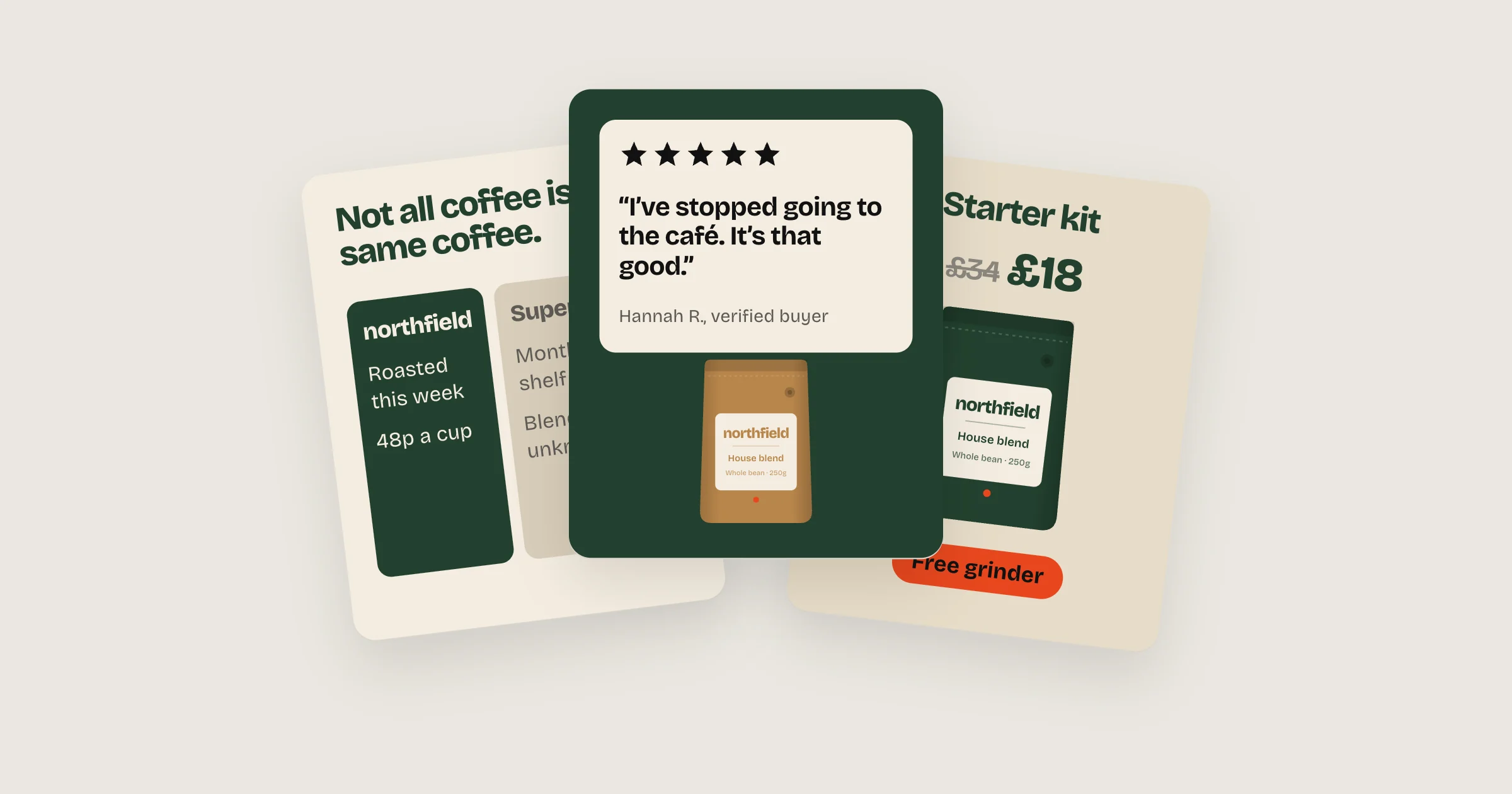
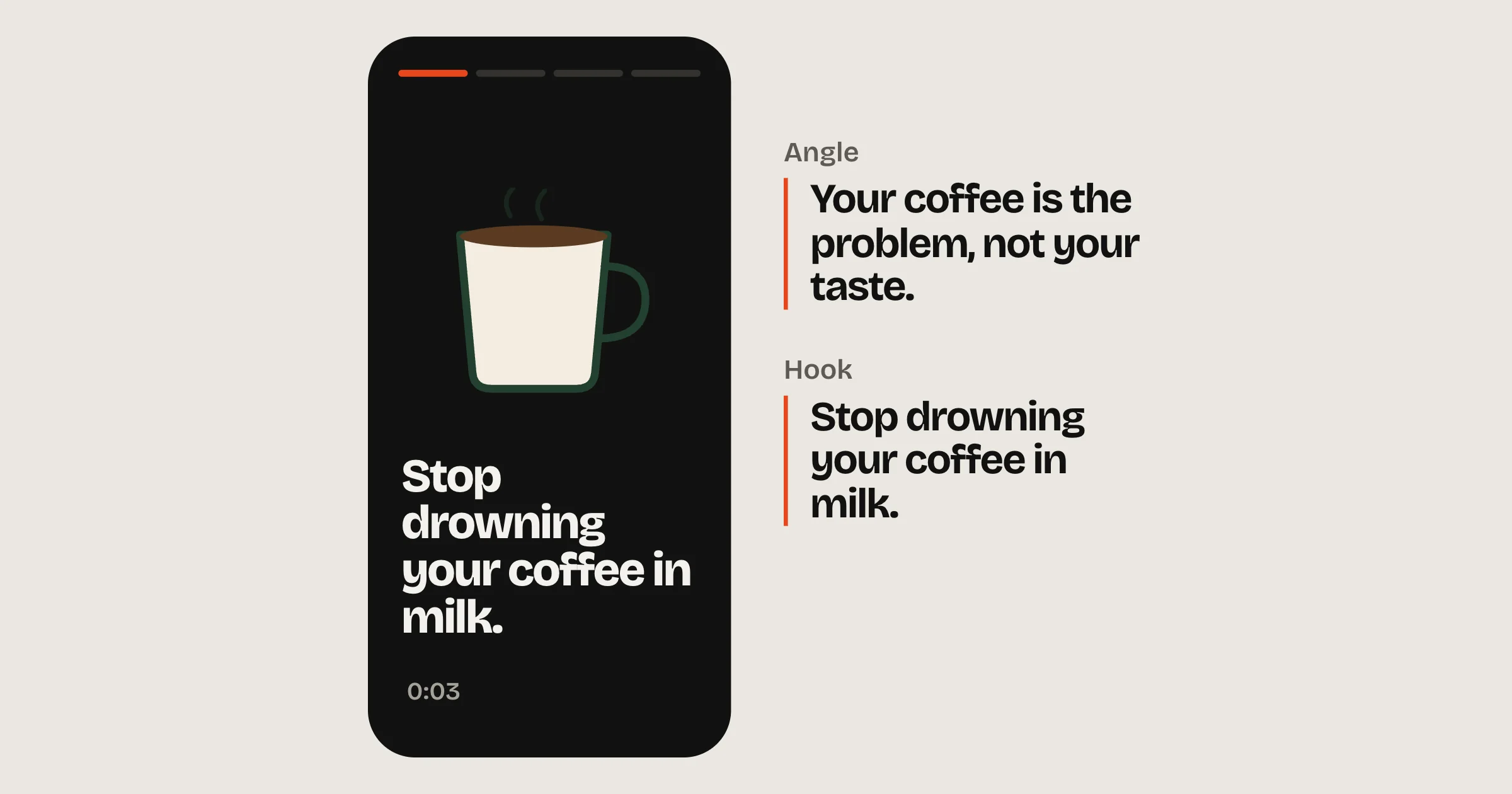
Three or more distinct angles live List the reasons to buy your ads are arguing. Usually it’s one angle in five outfits. Meta treats near-identical ads as one idea. A real format mix Video, statics and carousels, with 9:16 versions for Reels and Stories instead of square ads stretched to fit. Fatigue is tracked, not discovered Frequency and CTR per ad over the last two to four weeks. CTR sliding while frequency climbs means the replacement is late. A new concept in the last 30 days A new idea, not a recolour. Nothing new in six weeks means the account is coasting. Spend isn’t parked on old ads Check what share of spend sits on the top three ads and how old they are. Openings are different, and good Line up the first three seconds of every live video. Would you stop for them? Do they look different from each other? The obvious angles have been tried Pain, social proof, us vs them, founder story and offer. You’d be surprised how often one of them has never run. Losers get switched off A simple rule, applied: for example, any ad that spends twice your target cost per purchase without a sale goes off. No rejected or limited ads piling up Check delivery and policy status on every live ad, and claims that might be risky in your category.
For what good creative looks like right now, see static ad formats and hooks and angles .
4. Audiences and exclusions
Retargeting isn’t hogging the budget Retargeting with a big share of spend and a great ROAS is often taking credit for sales that would have happened anyway. Existing customers are defined Upload your customer list and set your audience segments, then decide whether prospecting should reach them at all. Customer lists are fresh Updated in the last 30 days, or synced from your store automatically. Retargeting windows fit the buying cycle 7, 14 or 30 days for most ecom products, rather than one 180-day pool treated as warm. Locations and placements are checked Locations match where you ship. A placement breakdown has been run in the last month.
5. Budget and bidding
Share of spend matches share of purchases Put each campaign’s share of spend next to its share of purchases. Big gaps are your first budget moves. Winners aren’t capped Nothing outperforming is stuck behind a small budget, and nothing dying is overfunded. The bid strategy is a decision Highest volume, a cost per result goal or a ROAS goal, each chosen for a reason that still holds. Budgets move in steps Rises of 20% to 30% every few days, not overnight doubling. The change history should look calm. Monthly pacing is checked weekly Spend to date against plan, so nobody finds an overspend on the 28th. Break-even is written down Break-even ROAS is 1 divided by your contribution margin. Without it, every report is opinion.
6. Landing page and message match
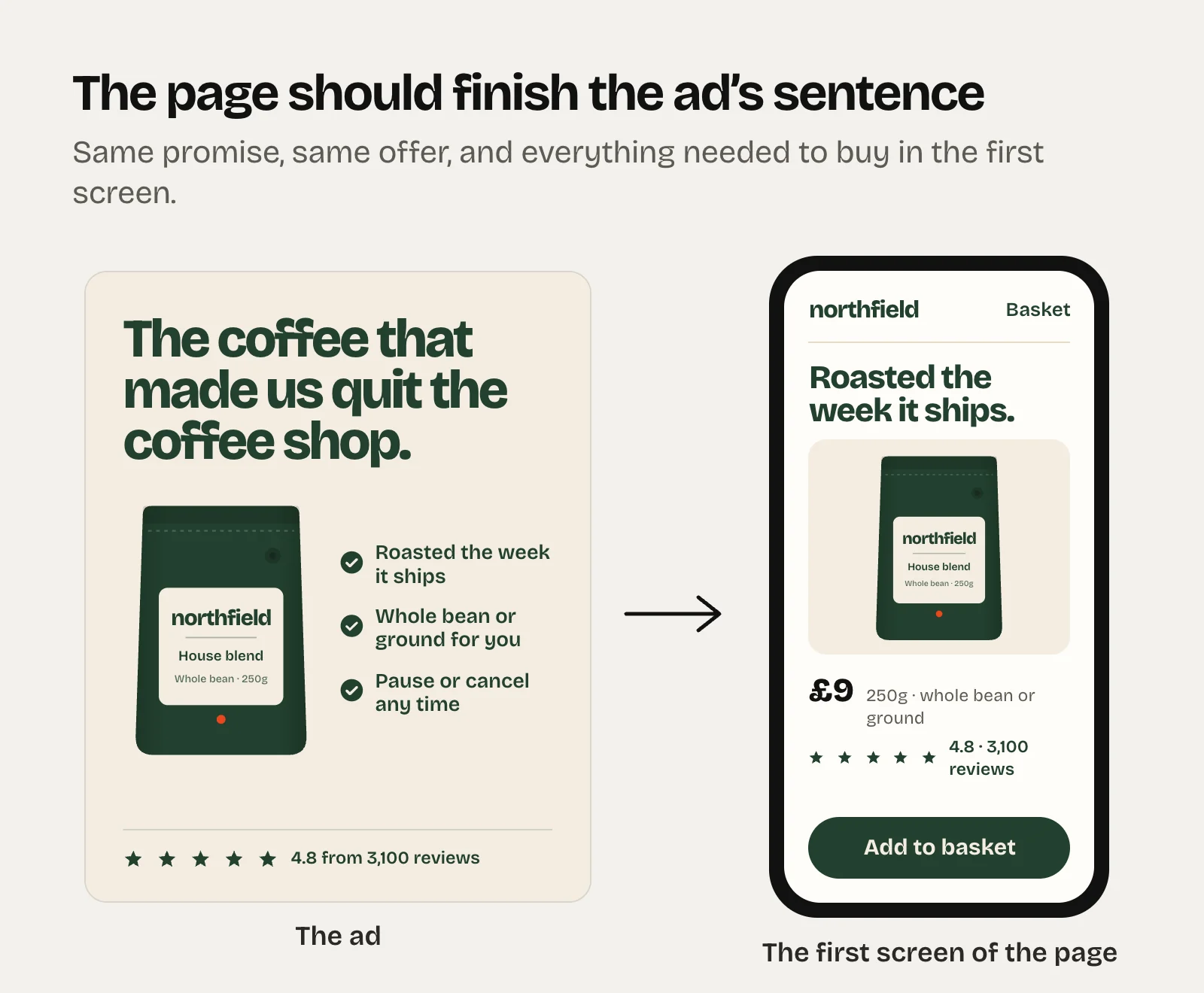
The page continues the ad Click your top three ads by spend. The first screen should pick up the ad’s promise. A mismatch is confusion you’re paying for. The offer matches Same price, same discount, same terms as the ad. It’s fast on a phone Test on a real phone over mobile data. If fewer than about seven in ten outbound clicks become landing page views, start here. The first mobile screen does its job Product, price, reviews and one clear button, without scrolling. Conversion rate is in a sane range Ecom product pages commonly convert 2% to 4% of paid sessions. Under 1% is usually a page problem, not an ads problem. Every live link works No 404s, expired offers or sold-out products behind live ads.
7. Testing process
There’s a written test plan One variable per test, with a reason for testing it. Results are logged Hypothesis, dates, spend, result and decision for every test, kept somewhere that outlives the ad account. Decision rules are set before launch How much spend or how many purchases before you call it, and on which number. Hook tests are real tests Several hooks inside one ad isn’t a fair test, because Meta gives most of the spend to one of them early. Strong hooks that got little spend deserve their own ad.
8. Account health
Account Quality is clean No unresolved restrictions, and rejected ads are fixed or appealed rather than re-uploaded with small edits. You own the assets The brand owns the business portfolio, ad account and pixel. Agencies work through partner access. At least two admins with two-factor on One locked profile should never lock you out of your own ad account.
What to do with what you find
An audit is only useful if it ends in a short list. Ours always ends with three things:
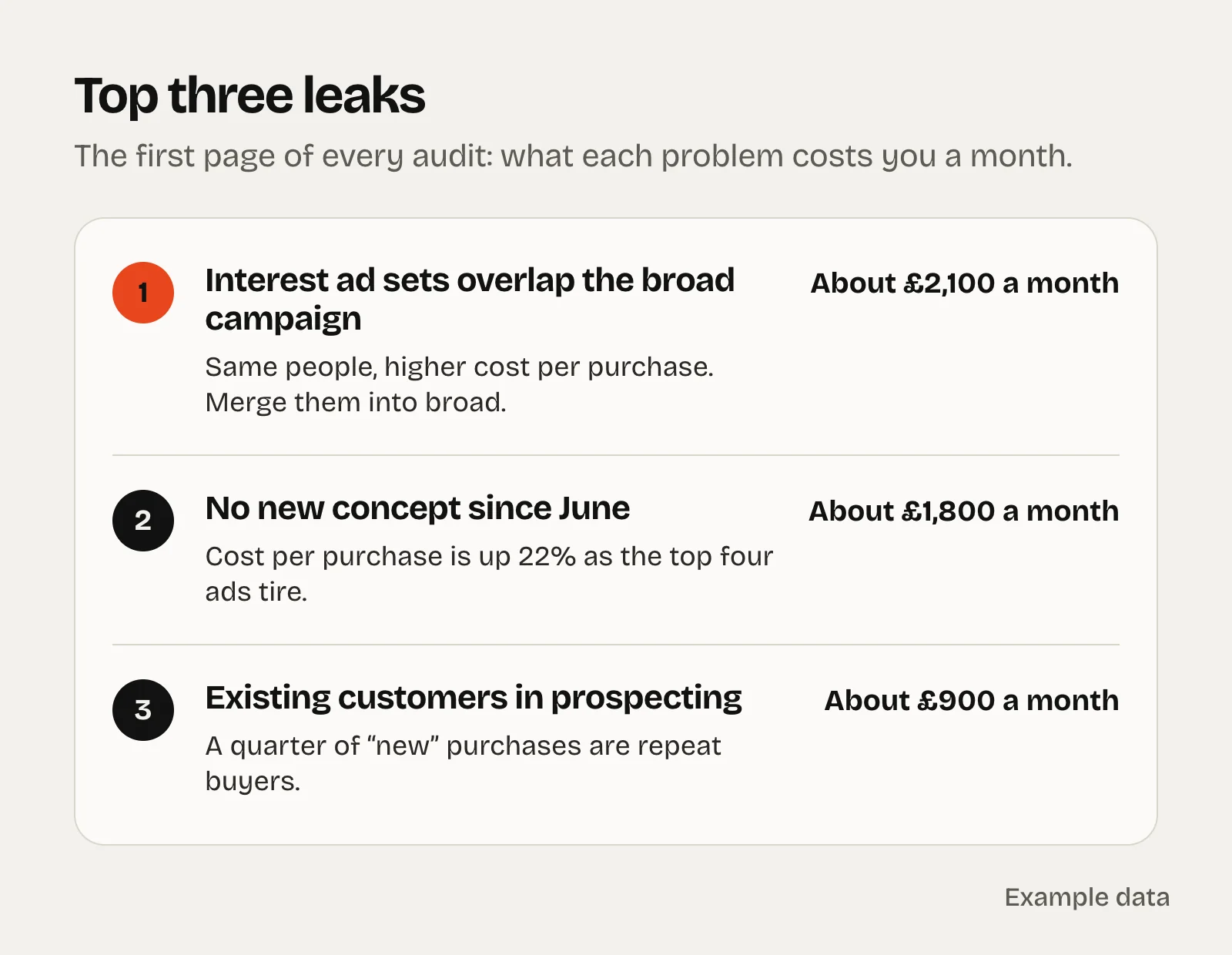
The top three leaks, each with a rough monthly cost.Quick wins that take under an hour, like excluding recent purchasers or switching off ads far above target.A four-week test plan, with the reason behind each test written down before it runs.
When you’re checking numbers, these are the ranges we treat as normal for ecom. They’re sanity checks, not targets. Your own history beats any benchmark.
Number Usually fine Look closer
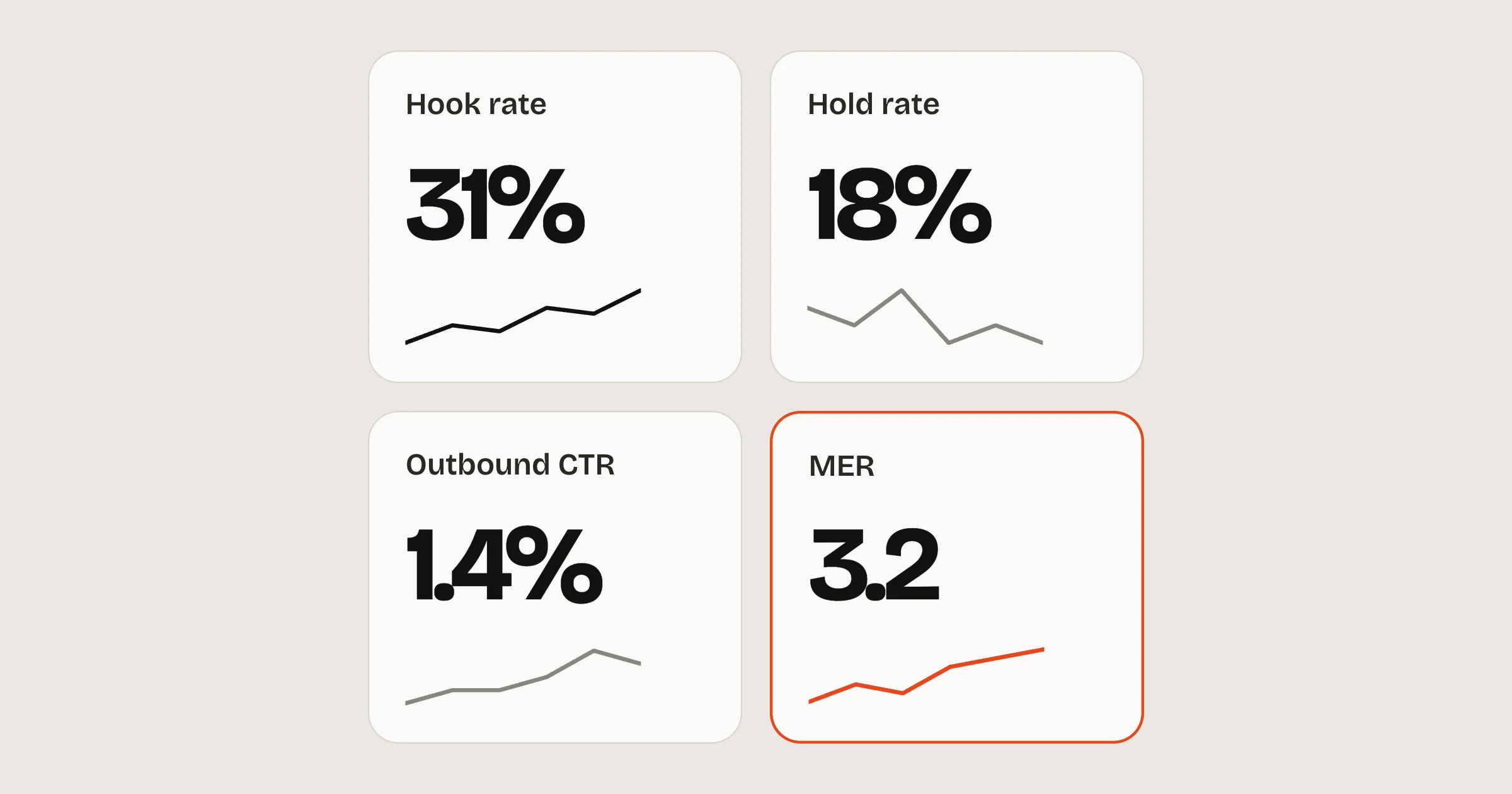
Outbound CTR, prospecting 1% to 2% Under 0.8% Hook rate, video 25% to 35% Under 20% Frequency, prospecting Under 2.5 a week Rising with falling CTR Frequency, retargeting Under 6 to 8 a week Above that Landing page conversion rate 2% to 4% Under 1% Landing page view rate Above 70% Below 70%
For what each of those numbers means, and the ones that sit behind ROAS, see the Meta ads metrics that tell you if an ad is working .
Want us to look at your account?
A free written review of your Meta account: what we’d keep, what we’d cut and what we’d test next. Yours to keep, whether we work together or not.